
Overview
This guide will show how you can restore the Full Backup from backuply.
Full Restore
Navigate to the Backuply Enduser Panel > Restore and Download > Full Backups wizard.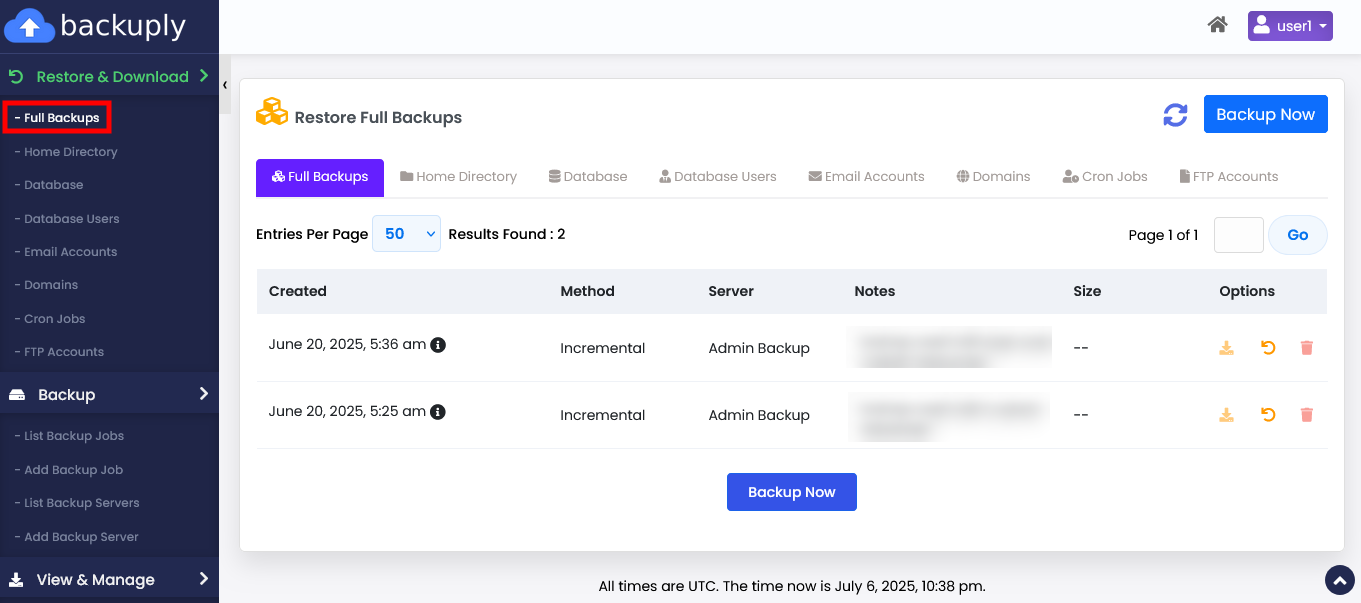
Choose the backup you want to Restore and click on the Restore icon.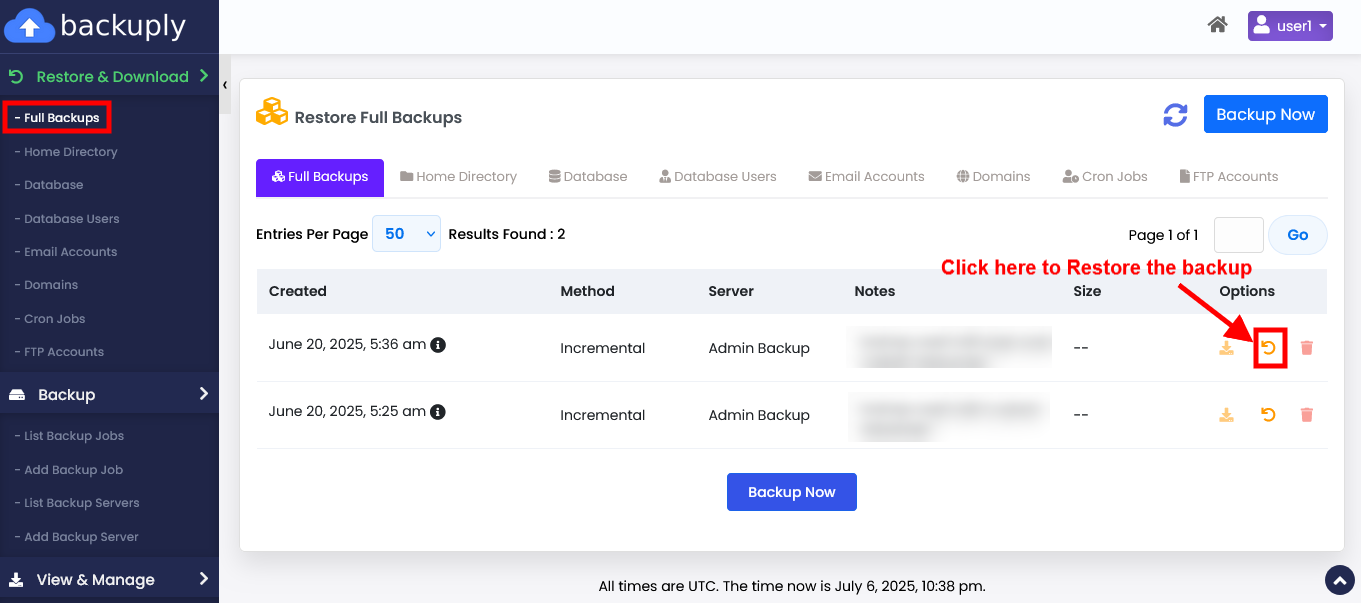
That's it... you can now check Restore process's logs from the Backuply Enduser Panel> View & Manage > Logs wizard.